
Use the Guide below to convert your Panda Security Endpoint Solution to a WatchGuard Endpoint Solution.
IMPORTANT NOTICE: Please note that this action is not reversible.
Conversion Path:
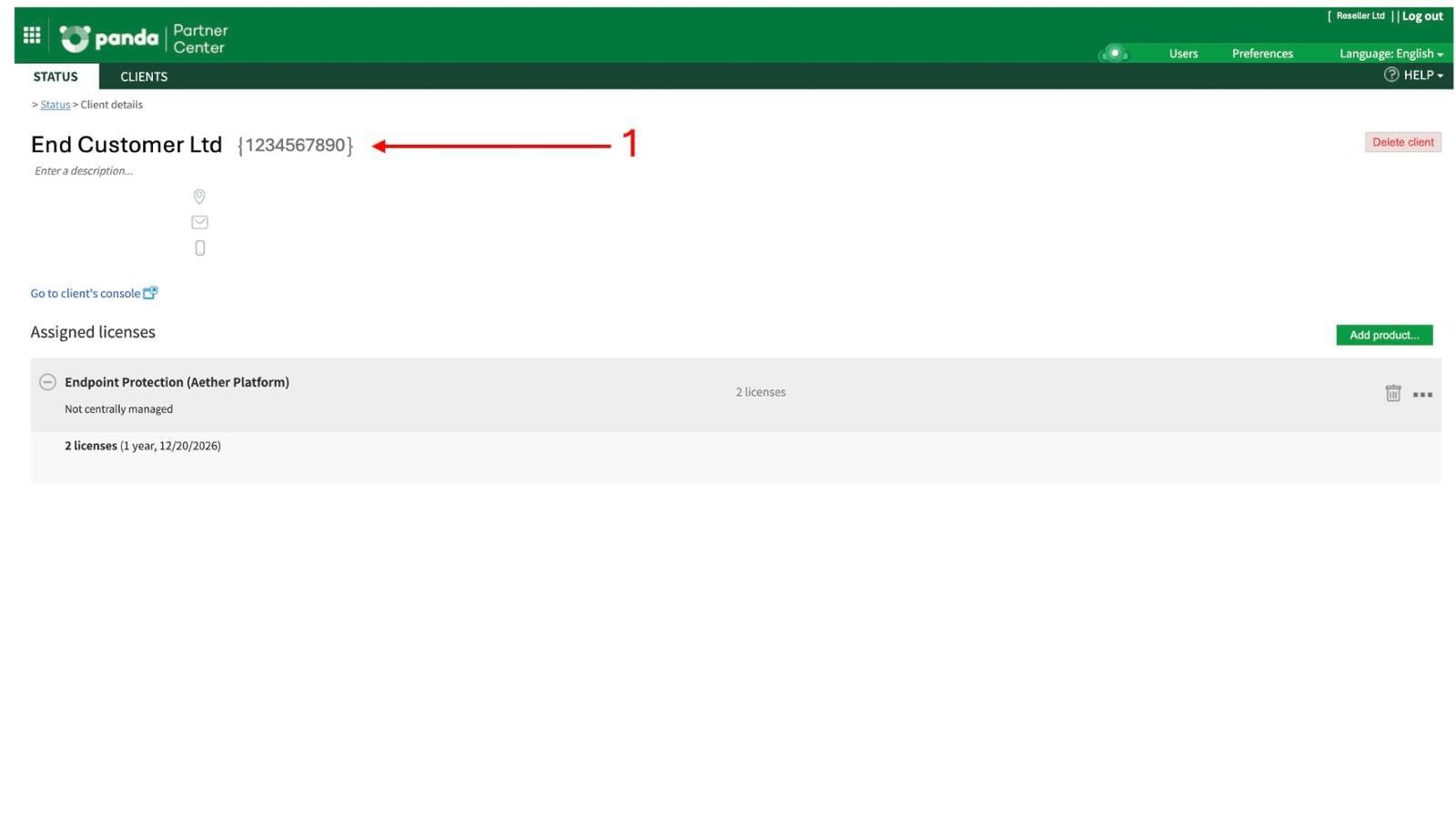
STEP A: Login to Panda Partner Console (click here)
STEP B: Click on the name of the customer your wish to convert
STEP C: Copy the customer name and customer number (see photo -1)
IMPORTANT: If your customer already has a WatchGuard Solution (e.g Firebox, AuthPoint, Secure WiFi) please go directly to STEP M.
STEP D: Go to WatchGuard Cloud (click here)
STEP E: Login with your credentials (administrator/owner account required)
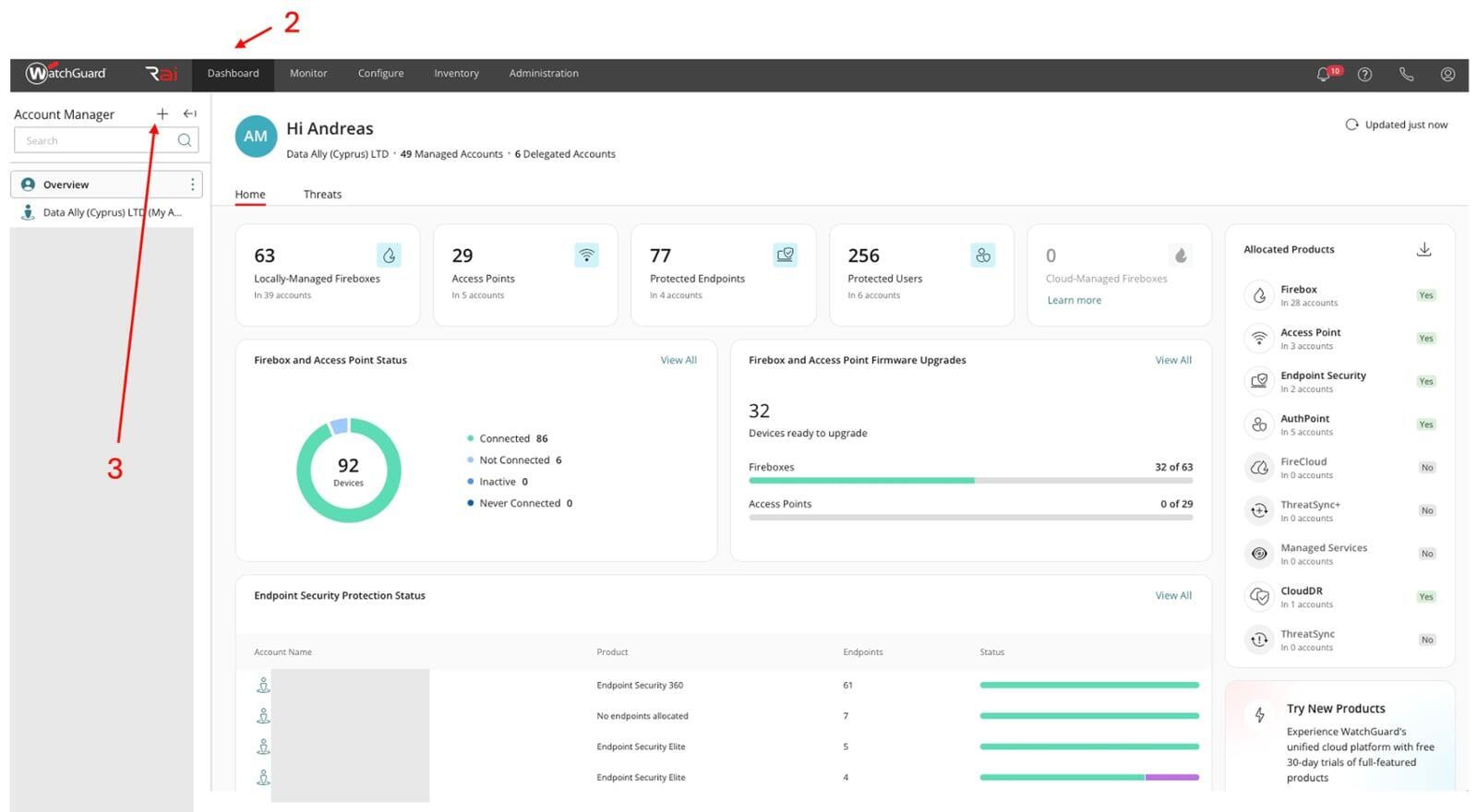
STEP F: Click Dashboard (see photo -2)
STEP G: Click the + (see photo -3)
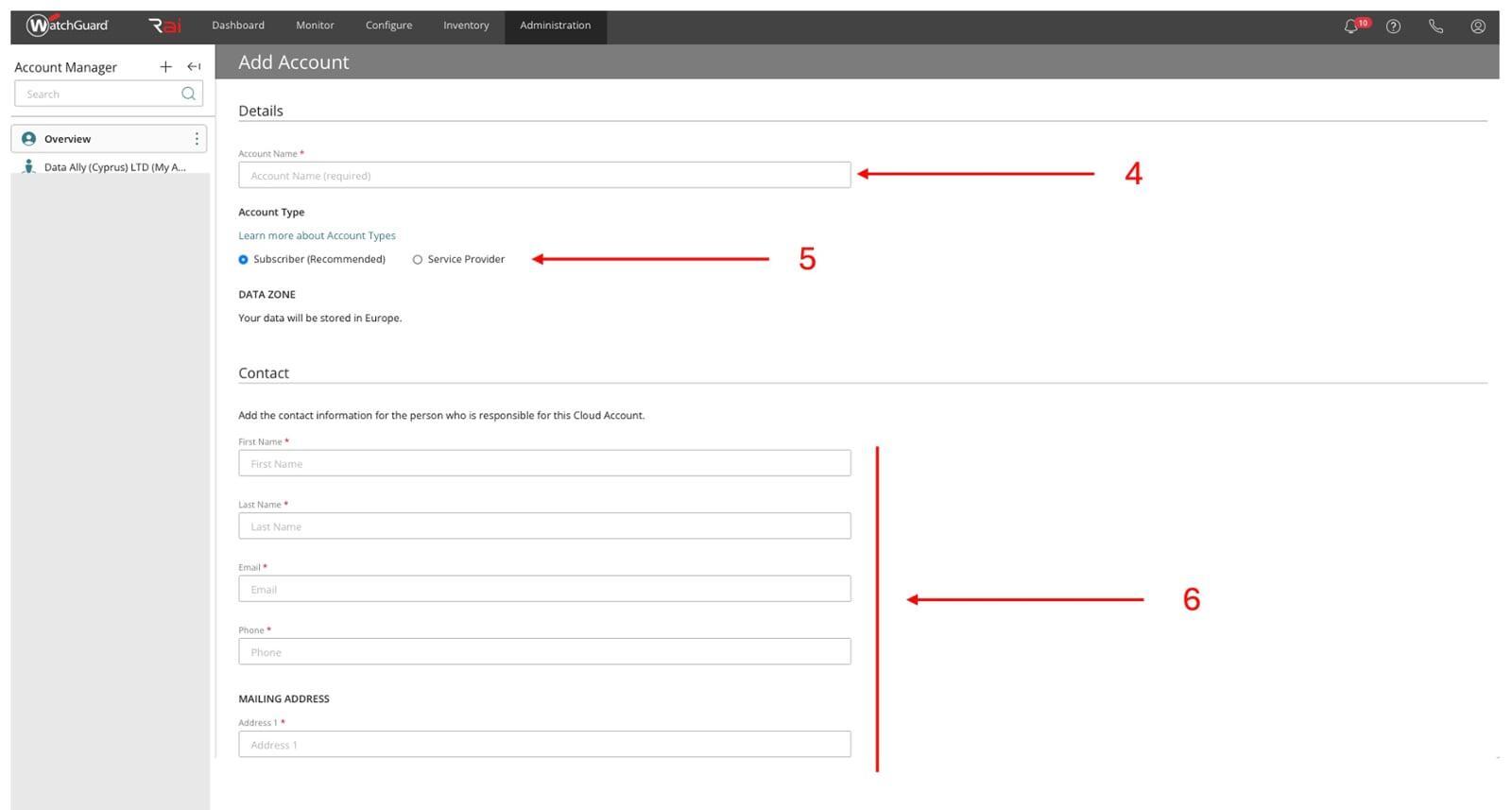
STEP H: Enter the Customer name (should be the same as Panda Customer) (see photo -4)
STEP I: Select Subscriber ( see photo -5)
STEP J: Complete all the customer details (see photo -6)
STEP K: At the end of the form you can add an operator for this account only (if you wish to grant the end customer access to their console and settings).
STEP L: Now the customer (subscriber) you have created has appeared in your WatchGuard Cloud.
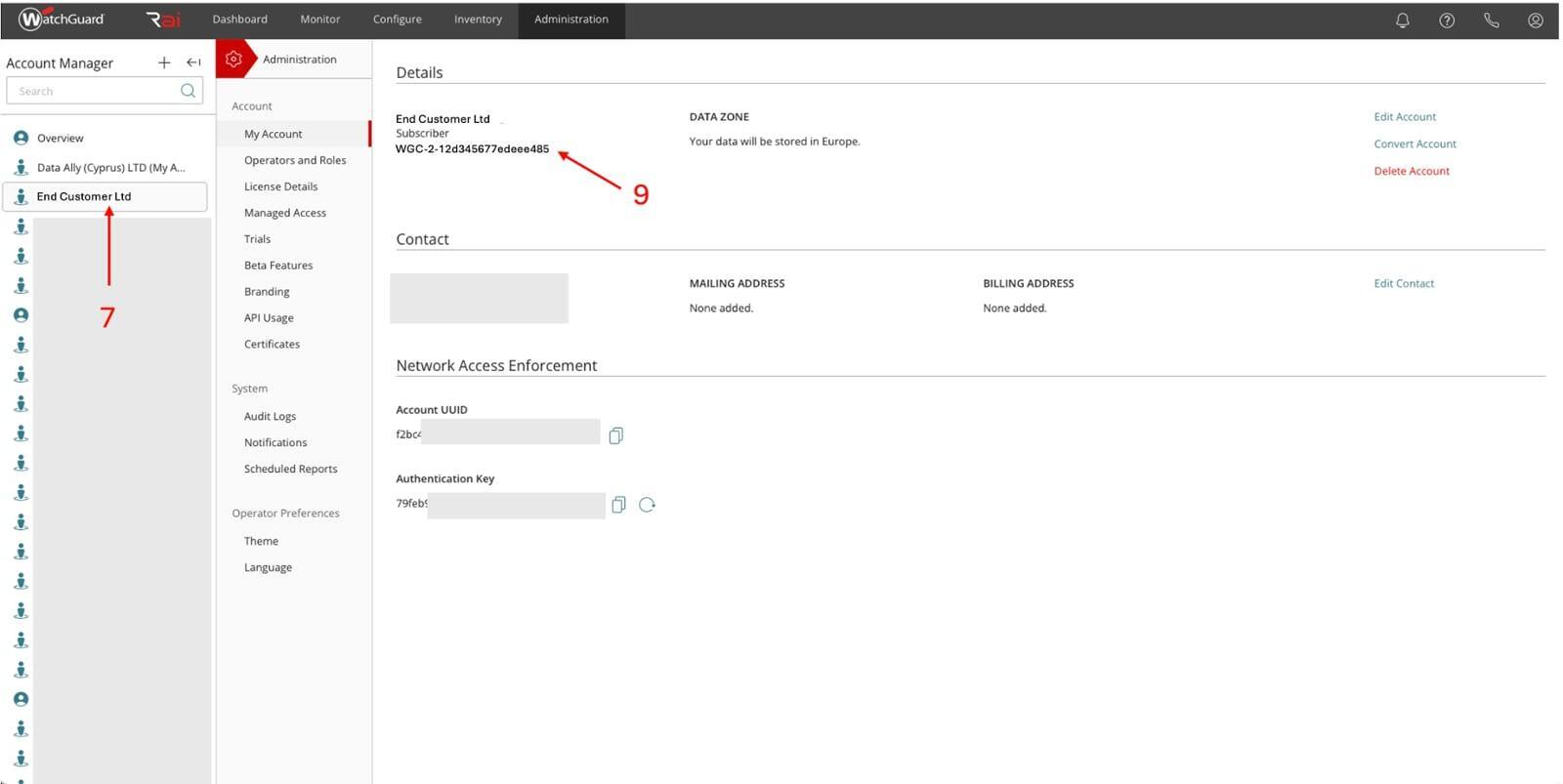
STEP M: Click the customer name in the left pane. (see photo -7)
STEP N: Click Administration on the top menu. (see photo -8)
STEP O: Copy the Subscriber ID (see photo -9)
FINAL STEP: Now you have all the information you need for the conversion please complete the Conversion Request form (click here).
Our support team will notify you once the conversion is successful.